Illustration of a person wearing a Quest headset, painting a mountain mural across a living room wall
Tracer MR

Trace any image onto a real surface.

Tracer MR places your image on paper, canvas, a wall or a window in mixed reality, and keeps it locked there while you draw over it by hand.

For Meta Quest 3 and 3S. Free to download, with an optional premium upgrade.
How it works

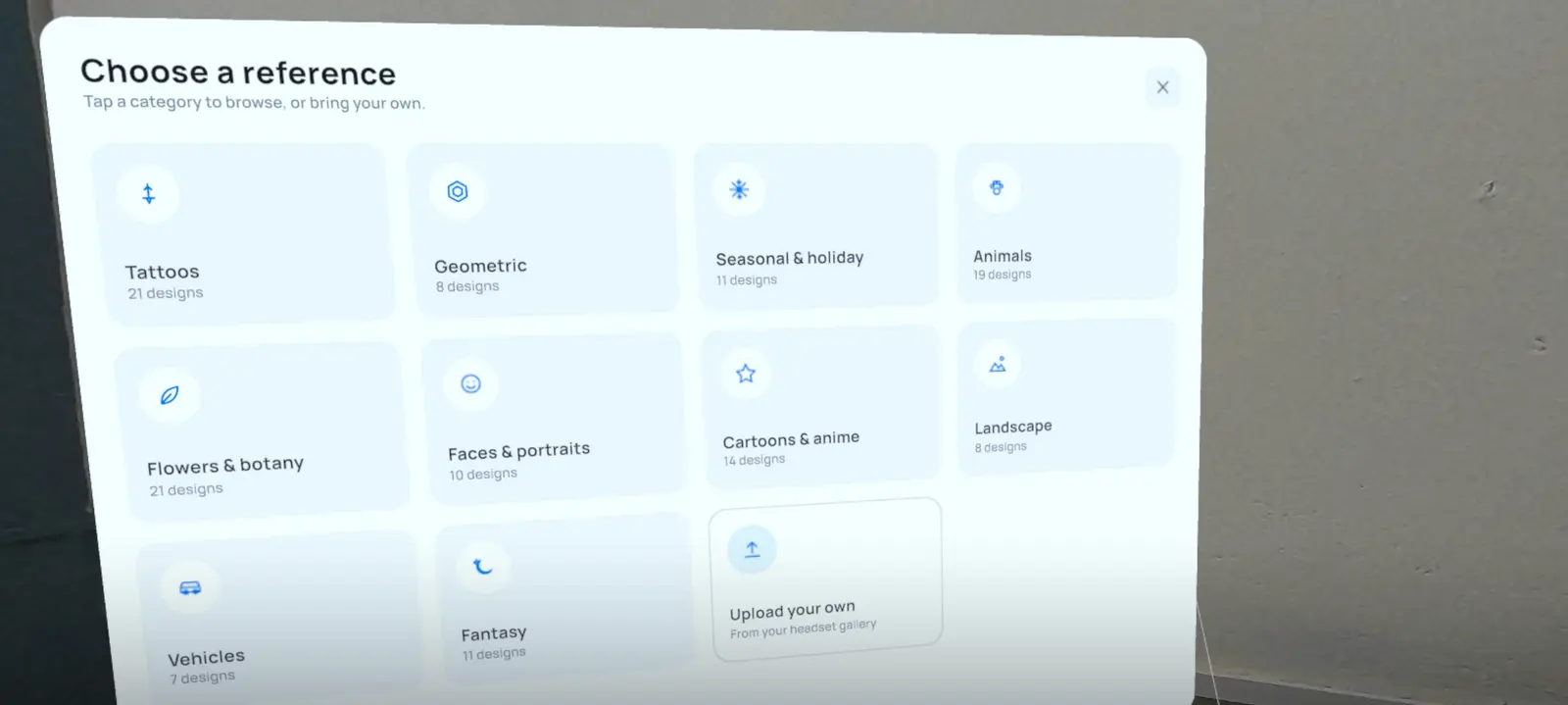
  1. The reference library inside the headset, with categories such as tattoos, animals, landscape and fantasy

    Choose a reference

    Pick from a built-in library of more than 100 line-art designs in ten categories, from tattoos and animals to landscapes and fantasy. Or bring your own image.

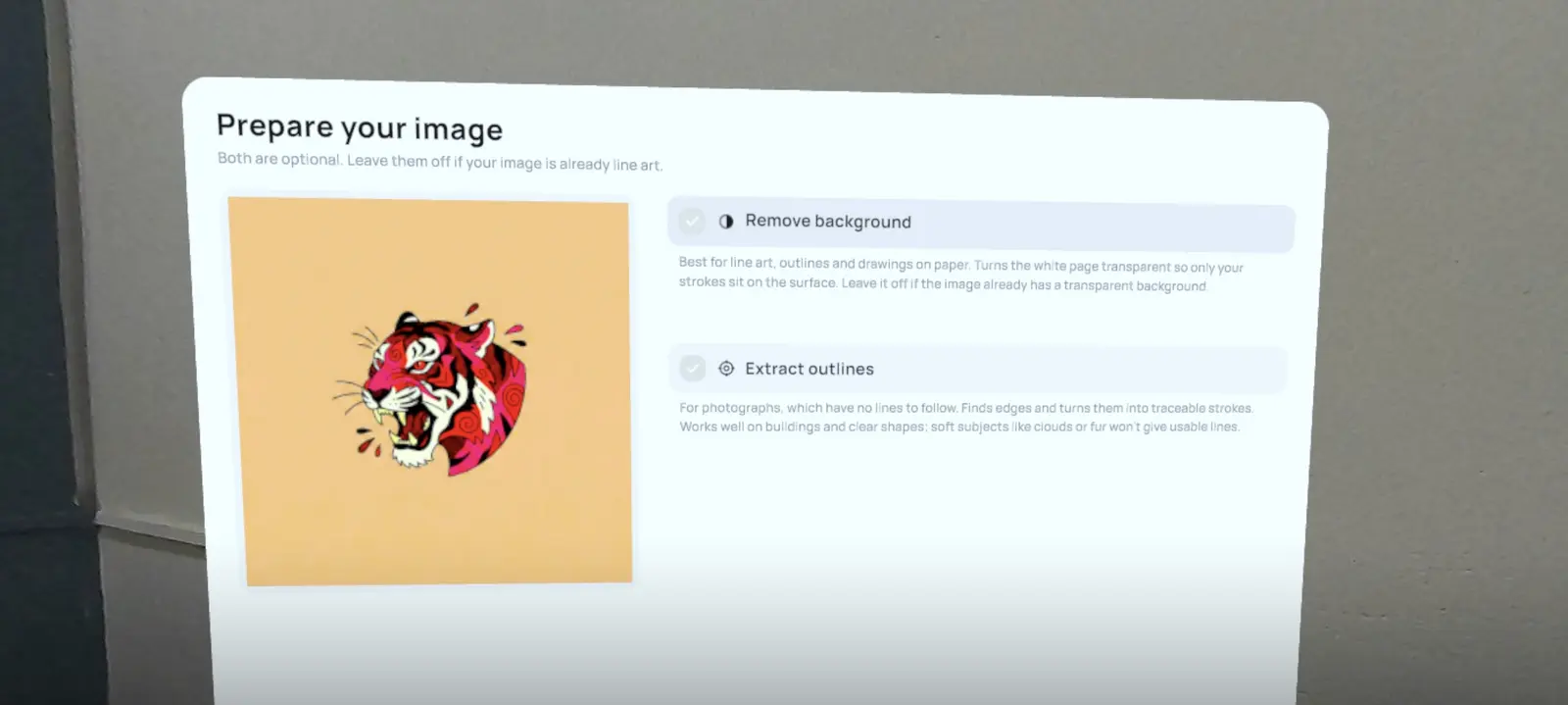
  2. The prepare-your-image panel showing a tiger design with options to remove the background or extract outlines

    Prepare your image

    Remove a white background so only the lines sit on your surface, or extract outlines from a photo so it becomes something you can follow. Both are optional.

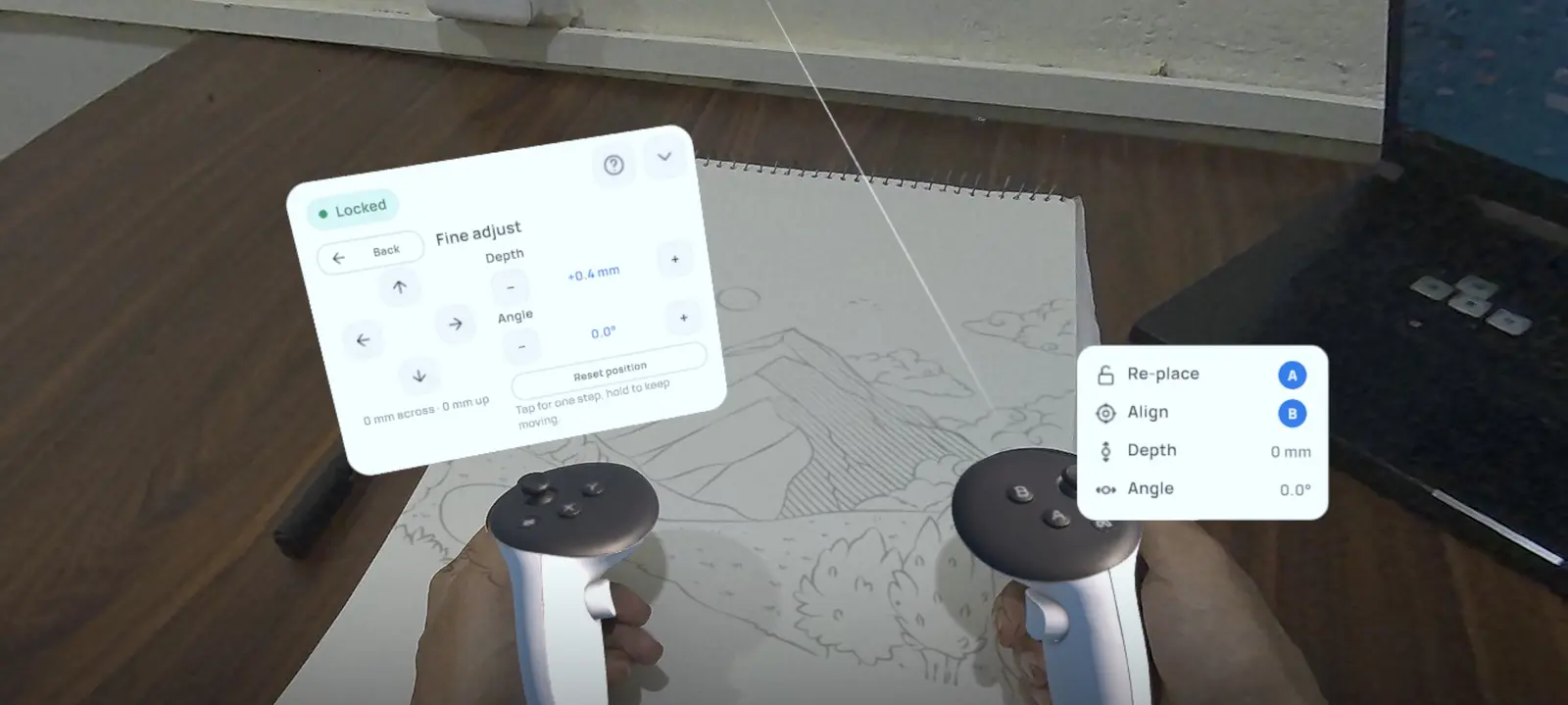
  3. A landscape image locked onto a sketchbook, with the fine adjust panel for position, depth and angle

    Lock it to your surface

    Place the image on your page or wall and lock it. It stays anchored as you move your head and hands. Fine-tune its position, depth and angle down to fractions of a millimetre.

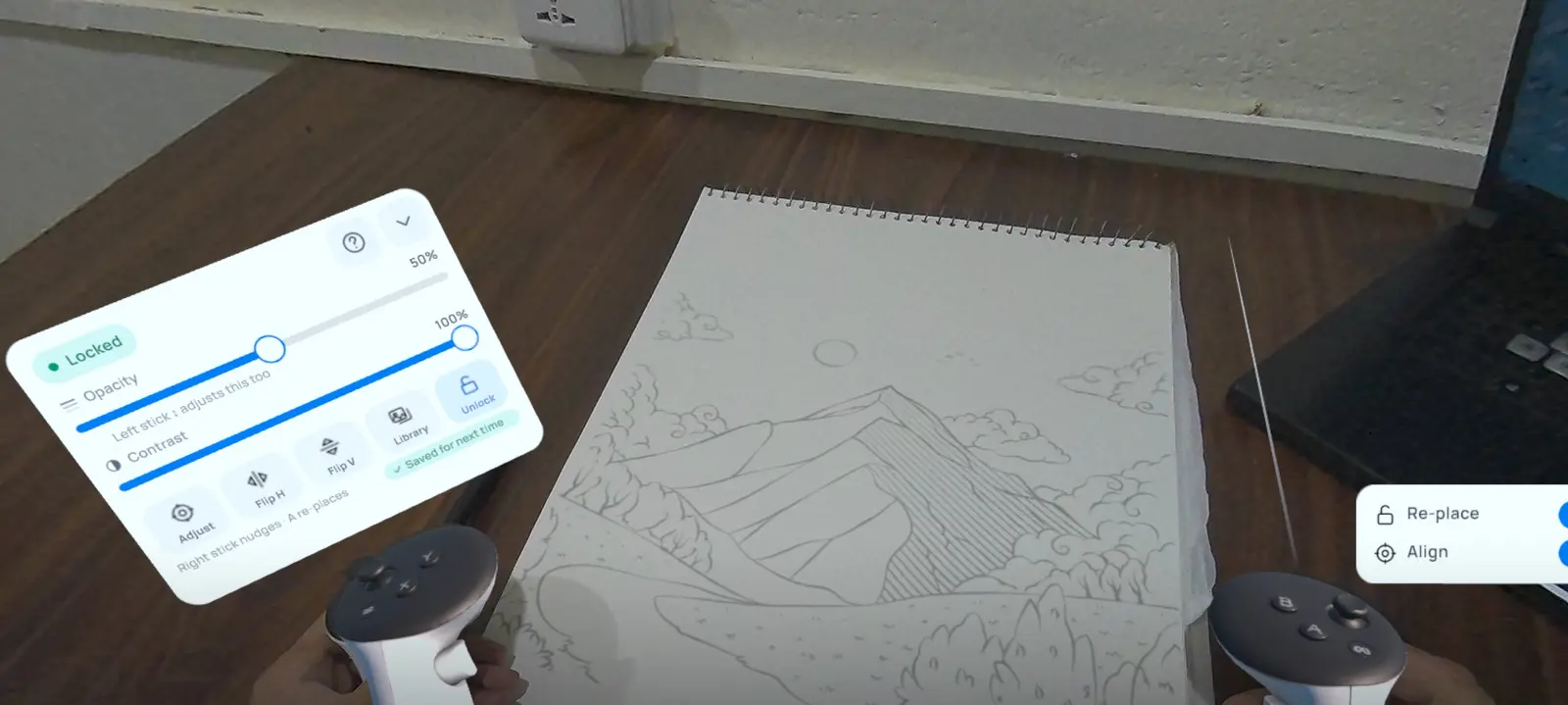
  4. Drawing over a locked landscape on a sketchbook, with opacity and contrast sliders and flip controls

    Trace by hand

    Adjust opacity and contrast until you can see both the image and your own lines, flip it if you need to, and draw. Your settings are saved for next time.

Made with Tracer MR

Traced in mixed reality, finished by hand. No projector, no grid, no transfer paper.

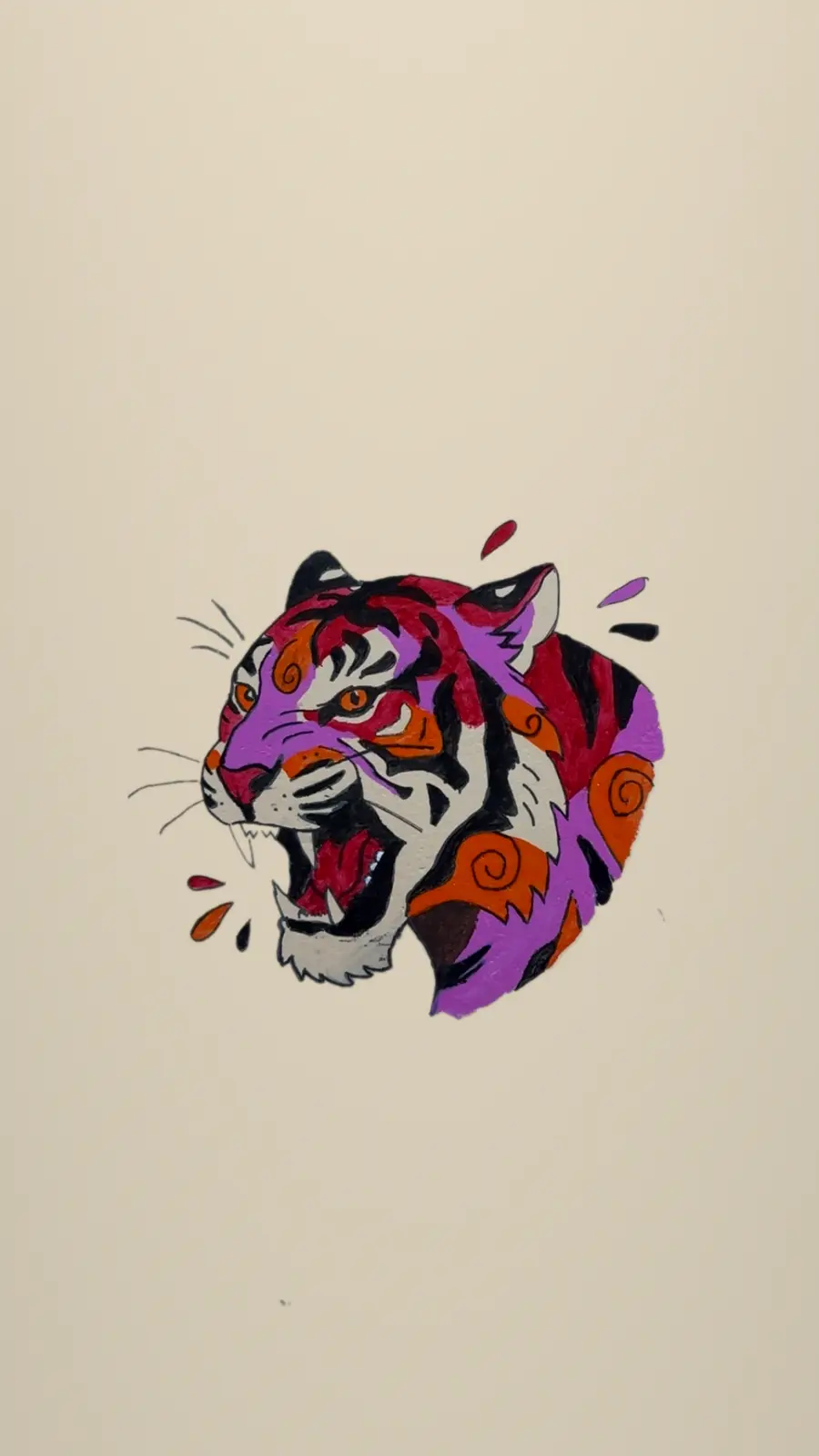
A tiger mural, traced onto a bare wall and painted in one session.
The finished tiger painted on a cream wall in red, purple and orange
The finished wall.
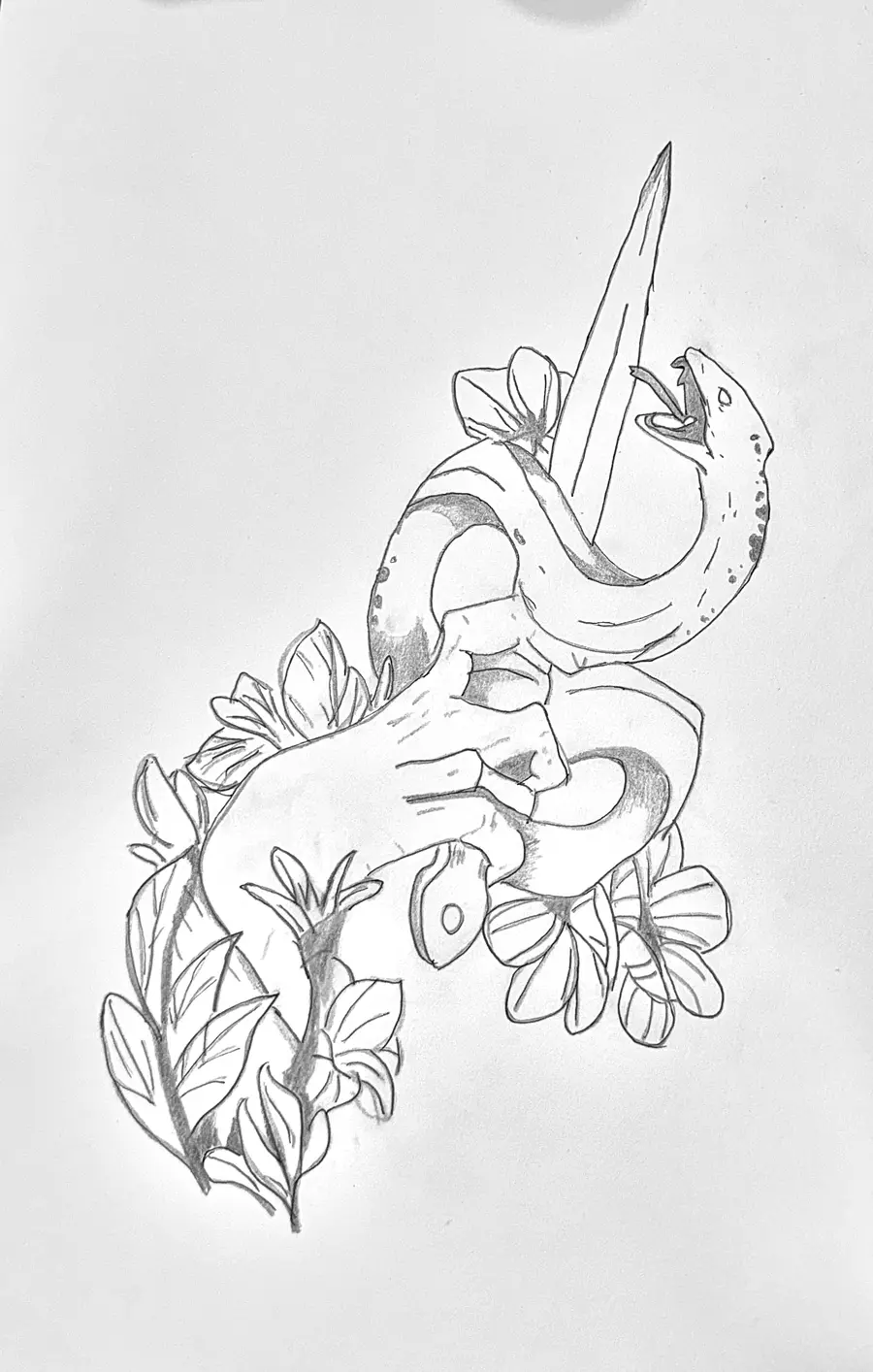
Pencil drawing of a hand holding a dagger, wrapped by a snake and flowers
A pencil tattoo design, traced on paper.

Who it's for

Artists and hobbyists

Practise proportion and composition by tracing references at full size, on the paper you actually use.

Muralists and sign painters

Put a design on a wall or window at its real size and paint it, without a projector or a chalk grid.

Tattoo artists

Work up and trace stencil designs on paper before the session.

Teachers and beginners

Build confidence by drawing over clean line art from the built-in library.

Free to start

Free

Free download

  • The built-in library of line-art designs
  • Lock, fine adjust, opacity, contrast and flip
  • Paper, canvas, walls and windows

Premium

In-app purchase

  • Everything in Free
  • Trace your own images from your headset gallery
  • Remove backgrounds and extract outlines from your images

Questions

Which headsets does Tracer MR work on?

Meta Quest 3 and Quest 3S. It uses the headset's colour passthrough, so you see your real surface with the image on top of it.

Does the image stay still while I draw?

Yes. Once you lock it, the image is anchored to the surface, so it stays in place as you move your head and hands. You can fine-tune its position, depth and angle at any time.

What can I trace on?

Any flat surface you can draw or paint on: sketchbooks, canvas, walls, windows and boards.

Can I use my own images?

Yes, with the premium upgrade. Import images from your headset's gallery, then remove the background or extract outlines so they are ready to trace.

Does it work with photos?

Photos don't have lines to follow, so use Extract outlines to turn their edges into traceable strokes. It works best on clear shapes like buildings and objects. Soft subjects like clouds or fur won't give clean lines.

Do my images leave the headset?

No. Images you import and your saved settings stay on your headset. Read the privacy policy for details.

How do I get help?

Send us a message on Instagram and we'll get back to you.

Your next drawing is already on the wall.